Comment Box
Problem
Users want to react on a certain page on a website.Solution
Use a Comment Box to let users post a message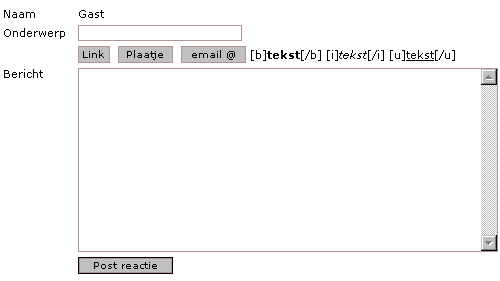
From
Use when
People want to communicate with other visitors about something stated on a web page. A comment-box is used on an Article Page or a Guest Book. The comment box could also well be used for Community Building. Users might want to share experiences about things that are for sale on an E-commerce Site.How
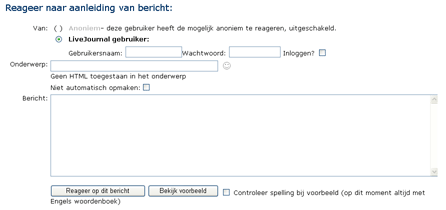
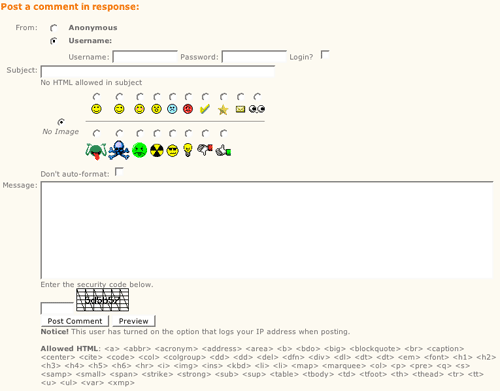
A comment box is a specific kind of Form. If you are interested in what kind of fields you can use and how they can be used: go to the Form page. Most time the comment box is used to let the user quickly react on a web-page, so it is advisable not to use many fields. The most minimal way of using the comment box is only to let the user post textual messages. Then additional options could be implemented. A Login could be implemented if users have the need to write under their own alias. It could also be possible to insert images like smilies.The comment box should be placed under the content of the page, and under previously posted comments, so when the user is finished reading he/she will see the comment box. After a visitor has posted his comment, the comment must be placed below the content of the page. So that other visitors could read other people their comments. The website shouldn't only display the comment, but also the time and date it was posted, the poster, and optionally things like place and country of the poster.
Alternating Row Colors could make a clear distinction between different comments.
Why
The comment box is used to create interactivity on a website. Users could react on the content of the website and exchange their meanings.More Examples
From
From

Comments

0 comments have been added to this pattern