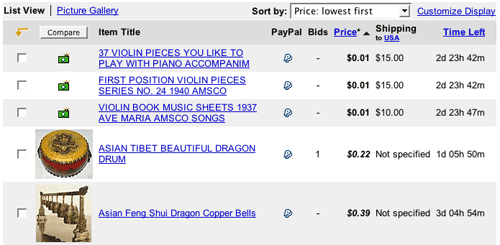
Table Sorter
Martijn van Welie
Users need to search or scan a complex table for values that interest them
Users are viewing a large table, possible spanning multiple pages, that they must scan for interesting values. There are several meaningful possibilities for sorting the table and users may be more effective if they can dynamically change the column that is used for sorting the values on. Typically, the table contains but it can also be that a has been used, e.g. for displaying the inbox in a web-based email application.
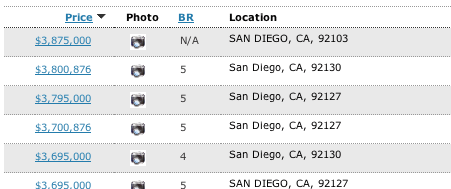
From
http://www.realestatejournal.com/
Allow users to change the sorting order of the table items by clicking on a column header
As users click on the column label, the table is sorted by that column. Another click reverses the order, which can be visualized using an up- or down-wards pointing arrow. Make sure it is visible which columns can be clicked on and which one is active now.
Many users will already know this type of behavior from standard windows applications. It is a very direct way to control sorting in tables, i.e. just one click.
Example from a web-based email client:
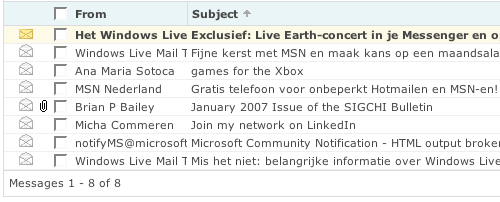
Example from E-bay: